
n8n
n8n is a automation tool which let you allow to integrate and automate workflow with 500+ apps and tool.
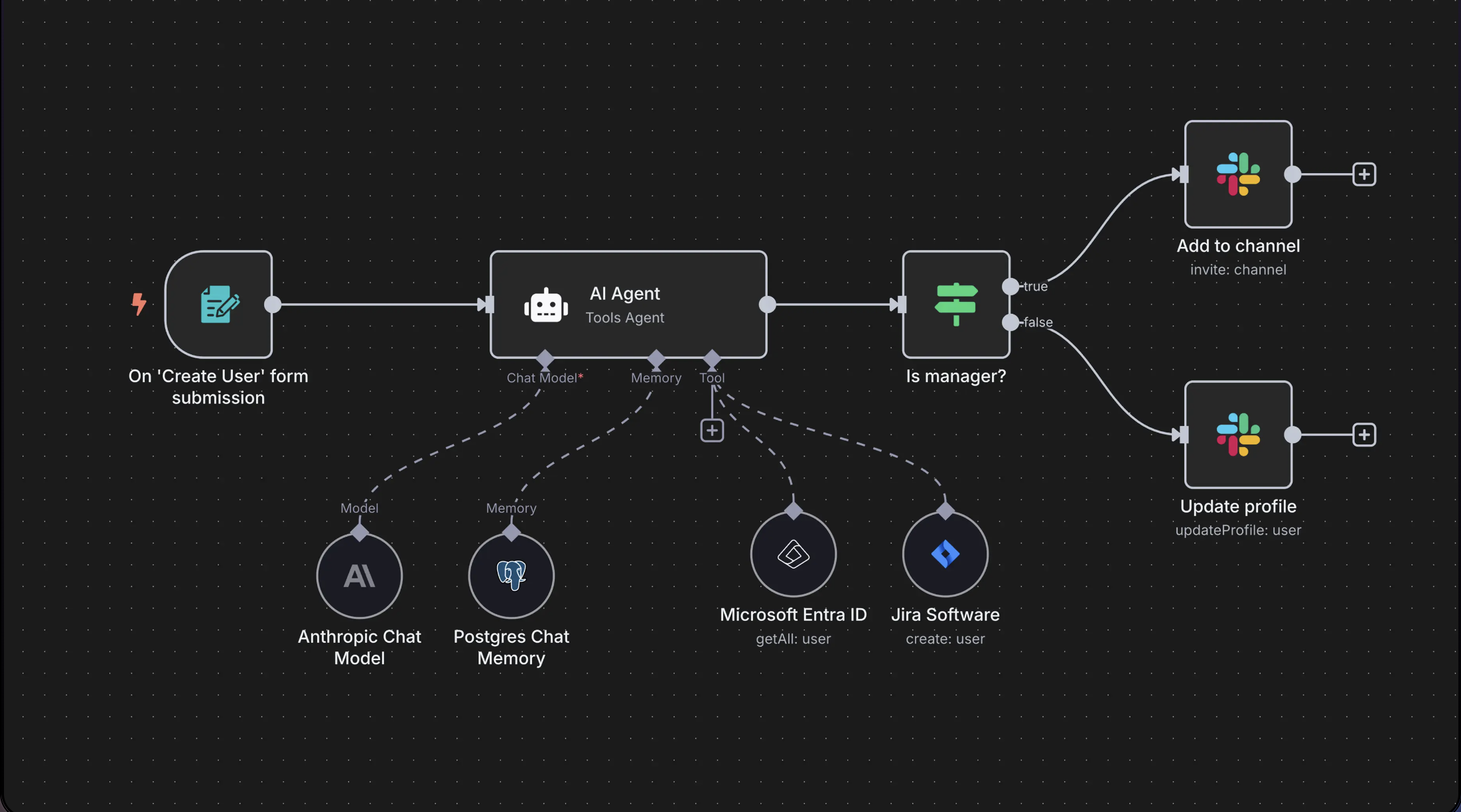
About n8n :
n8n is an open-source workflow automation tool that lets you connect apps, APIs, and services using a visual interface, but more powerful and developer-friendly.
TIP : Its Just an advanced version of jenkins or any automation pipeline. where these automation tool allows us to write scripts and integrate the workflow where n8n directly allows us to integrate applications and tools.
What I can achieve with n8n :
- Automate repetitive tasks between services (e.g., GitHub, Slack, Google Sheets).
- Integrate APIs without writing full apps.
- Create workflows with logic, conditionals, and transformations.
- Self-host workflows securely (open source).
Example use cases :
- Send a Slack/gchat/whatsapp alert when a new GitHub issue is created. (Github Trigger -> Slack)
- Receive an email when a form is submitted on your website. (Webhook node -> Email)
- Create and upload a video on youtube based on provided description. (Google Sheet or Form node -> AI Agent -> Google Veo -> Youtube upload node)
Key Terms that you should be aware :
| Term | Description |
|---|---|
| Node | A step in a workflow |
| Workflow | A sequence of nodes that perform tasks |
| Trigger | Starts a workflow |
| Execution | A single run of the workflow |
| Data flow | Output from one node feeds into the next node |
How I can use it :
There are 2 main way to use it -
- Install it on local (comes free of cost)
- Use cloud host hosted n8n (need to buy premium)
Here I will be telling you the steps for installing it locally via docker image.
Installation
STEP 1 : Start your docker on local
Use your command or launching way to start docker.
STEP 2 : Pull the docker image
docker pull docker.n8n.io/n8nio/n8n
STEP 3 : Mount the volume and Start the n8n
docker volume create n8n_data
docker run -it --rm --name n8n -p 5678:5678 -v n8n_data:/home/node/.n8n docker.n8n.io/n8nio/n8n
STEP 4 : Visit the following url
NOTE : This url will ask you to sign up first. once you sign up you can start creating your workflow and explore the interface it provides.
Incase you face any difficulty you can visit its official documentation page Link Here
Thanks for reading 😊 Happy Learning :)